
What BenefitStep does
BenefitStep reads your pay stubs, bills and receipts on your own computer and fills in a draft of the official forms. You check every value, then sign and submit the application yourself.
Quick check Optional
Answer a few questions to see how your income compares with the CalFresh income guide. It is a first look, not a decision.
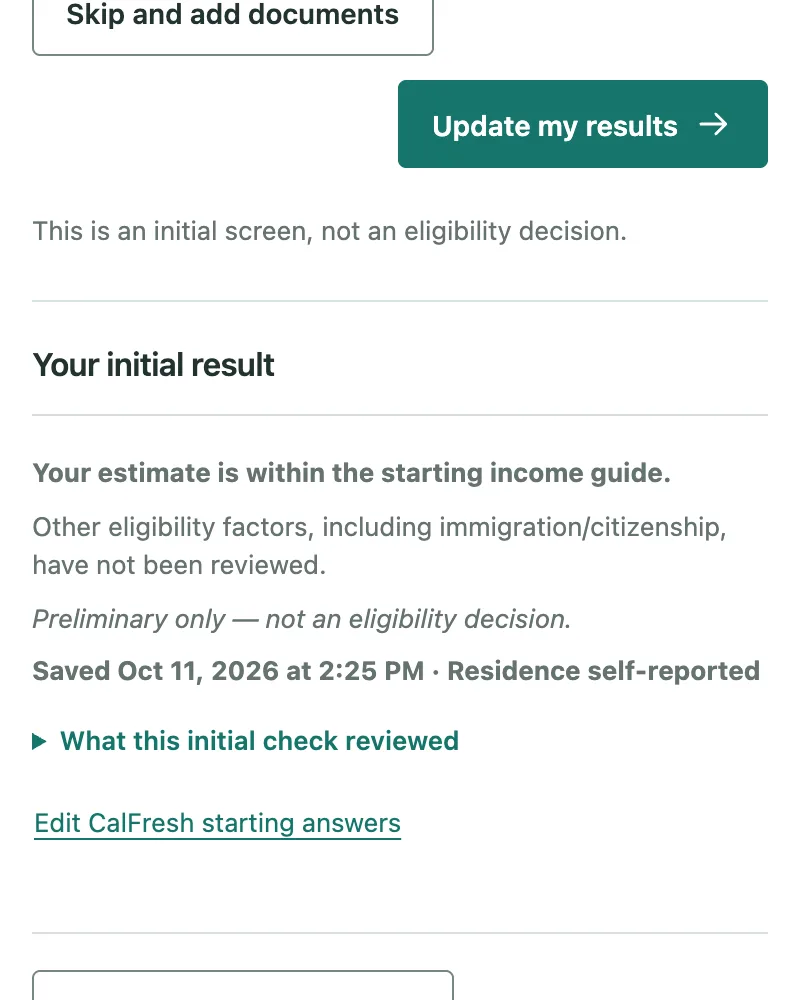
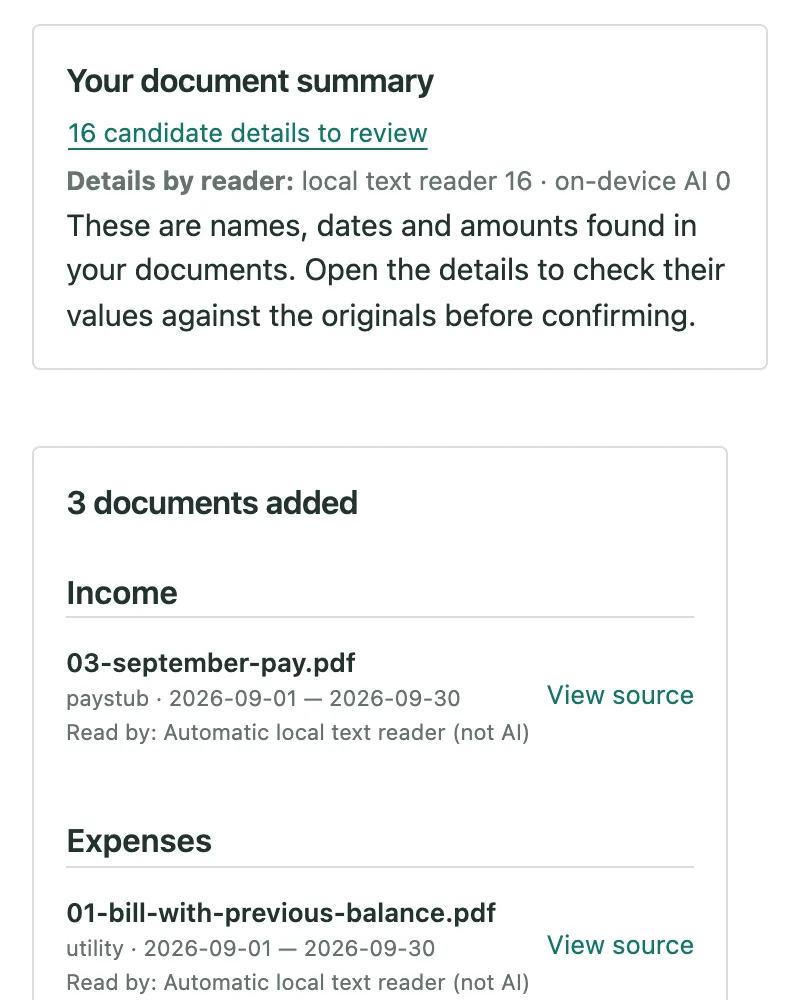
Add your documents
Add the pay stubs, rent receipts, bills and letters you already have, as PDFs or photos. BenefitStep finds the names, dates and amounts.
On-device AI is your choice
Photos and scans can be read by the AI built into Chrome, which runs on your computer. It stays off until you turn it on.
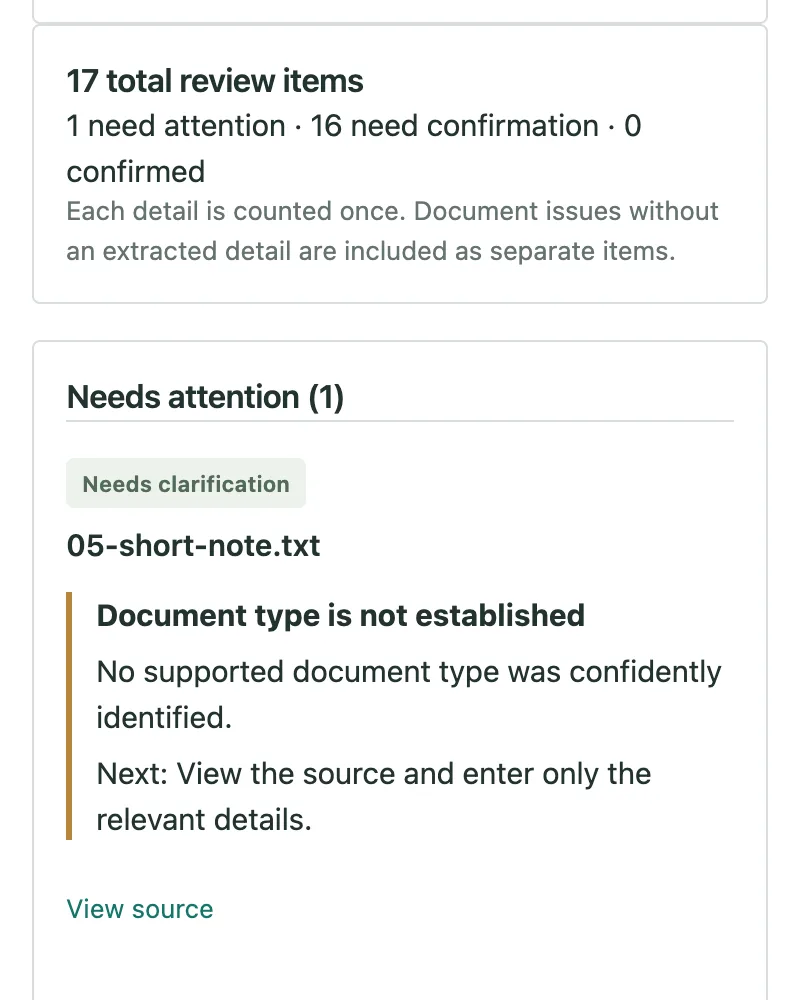
Review
See each detail with the document it came from. Fix what is wrong and confirm what is right.
It can misread a document. Check every value against the original before you use a draft.
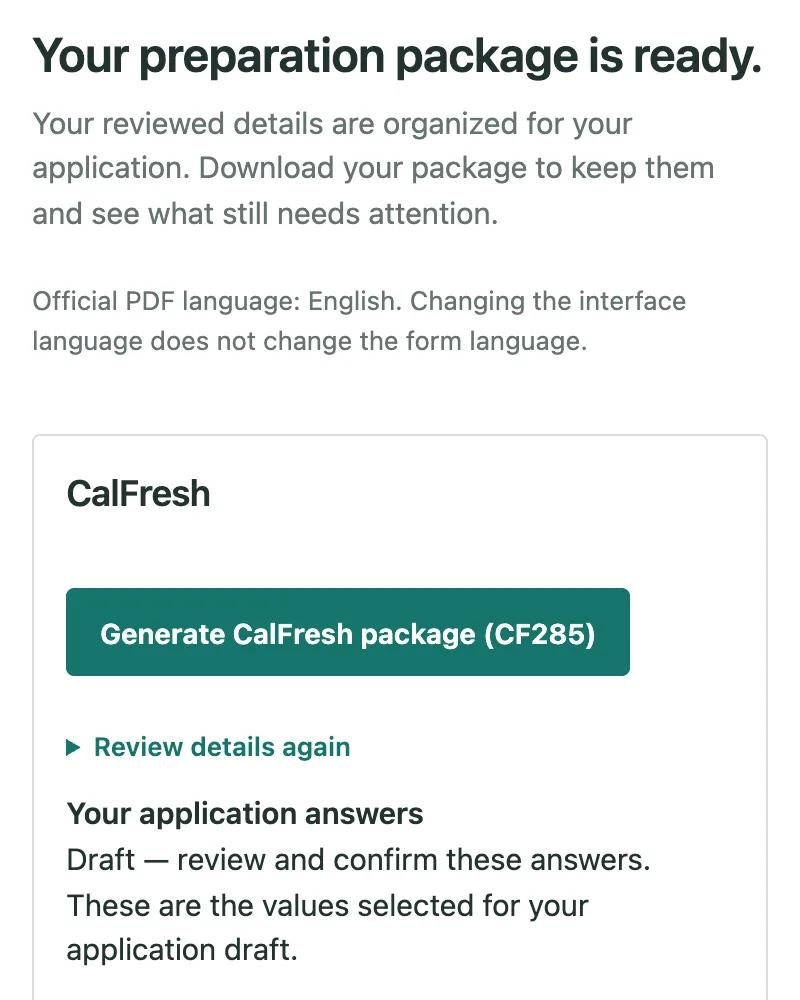
The forms it fills in
These are California's own PDF forms. BenefitStep fills them in as unsigned drafts.
Applying for the first time
Renewing
Renewing? Import the notice your county sent, and BenefitStep chooses the matching form.
Medi-Cal renewal (MC 216) is not available yet.
BenefitStep fills in the official forms with what you confirmed and lists what is still missing. Download the package and finish it yourself.
Try it with the example household
Install BenefitStep, open it from the Chrome toolbar and choose “Try example documents”. You can see every step before you use your own papers.
These screens show BenefitStep's built-in example household. Its people and documents are fictional.
In your language
Choose your language in the BenefitStep panel. The translations cover the main steps and have not yet been checked by professional translators. The form questions and the official PDF forms are in English.
How it was tested
On 26 fictional test files, the text reader filled in 68 values and 66 matched the document (97%), including all 17 dollar amounts. That figure is about the values it filled in, not about how much of an application it completes: on layouts it did not recognise, it left fields blank instead of guessing. This is a small test on documents written for the project, not a measure of accuracy on real paperwork.
Read the full evaluation (in English)What BenefitStep does not do
- It is not a government service. BenefitStep is independent of BenefitsCal, the state and county offices.
- It does not decide whether you qualify. Only your county can do that.
- It does not submit anything. You sign and submit your application through BenefitsCal or your county.
- It can misread a document. Check every value against the original before you use a draft.
Requirements
Needs Chrome 138 or later on a computer. It does not work on phones.
Add to Chrome — free