
Prepare your CalFresh and Medi-Cal application from the documents you already have.
BenefitStep reads your pay stubs, bills and receipts on your own computer and fills in a draft of the official forms. You check every value, then sign and submit the application yourself.
- No account
- Nothing uploaded
- 5 languages
- Open source
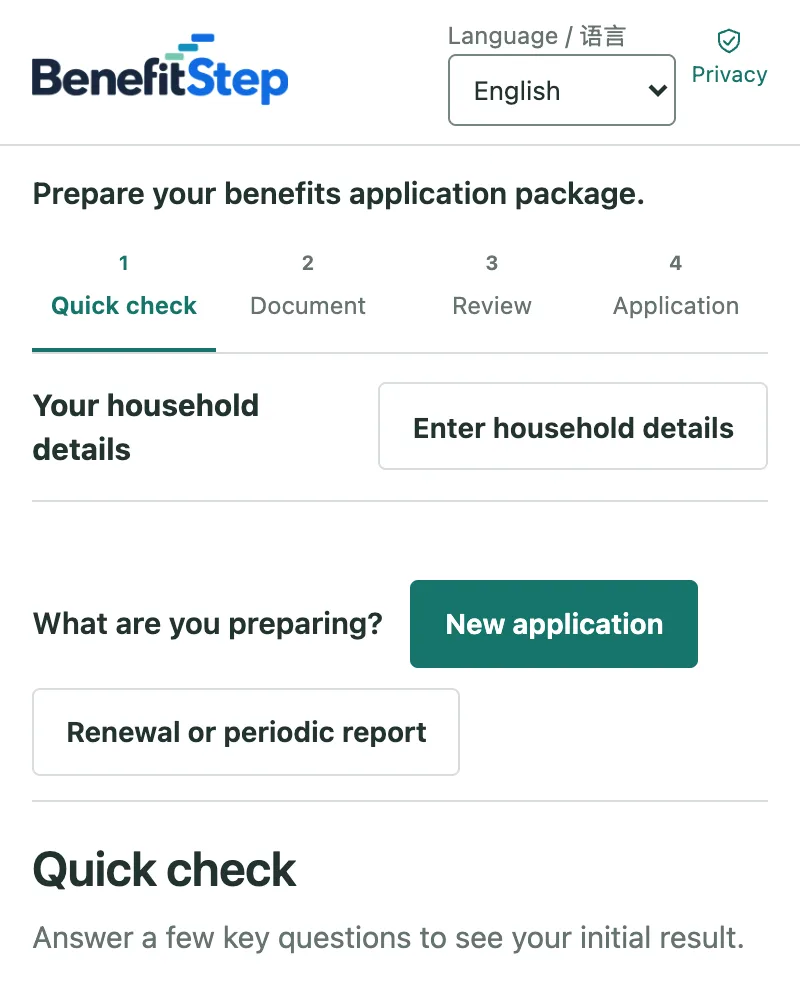
See it work
No sound. The video is in English. Every person and document in it is fictional.
A one-and-a-half-minute walkthrough with a fictional family, the Earleys: a new application, then a SAR 7 report six months later.
How it works
Four steps, at your own pace
Quick check Optional
Answer a few questions to see how your income compares with the CalFresh income guide. It is a first look, not a decision.
Add your documents
Add the pay stubs, rent receipts, bills and letters you already have, as PDFs or photos. BenefitStep finds the names, dates and amounts.
Review
See each detail with the document it came from. Fix what is wrong and confirm what is right.
Get your drafts
BenefitStep fills in the official forms with what you confirmed and lists what is still missing. Download the package and finish it yourself.
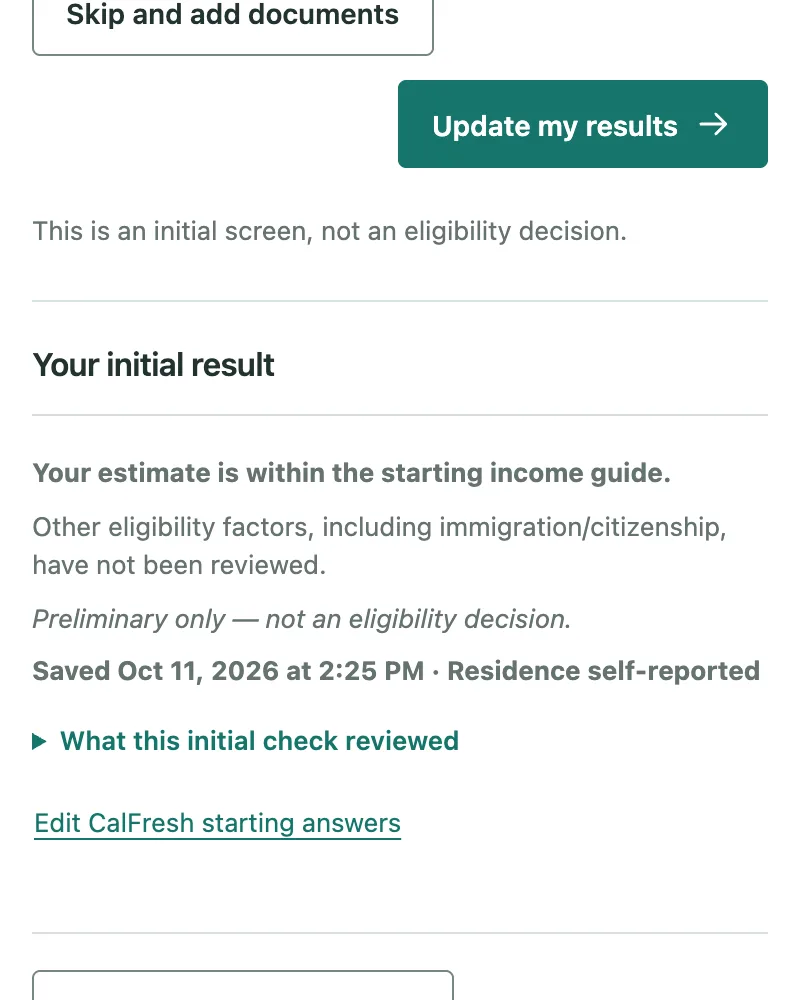
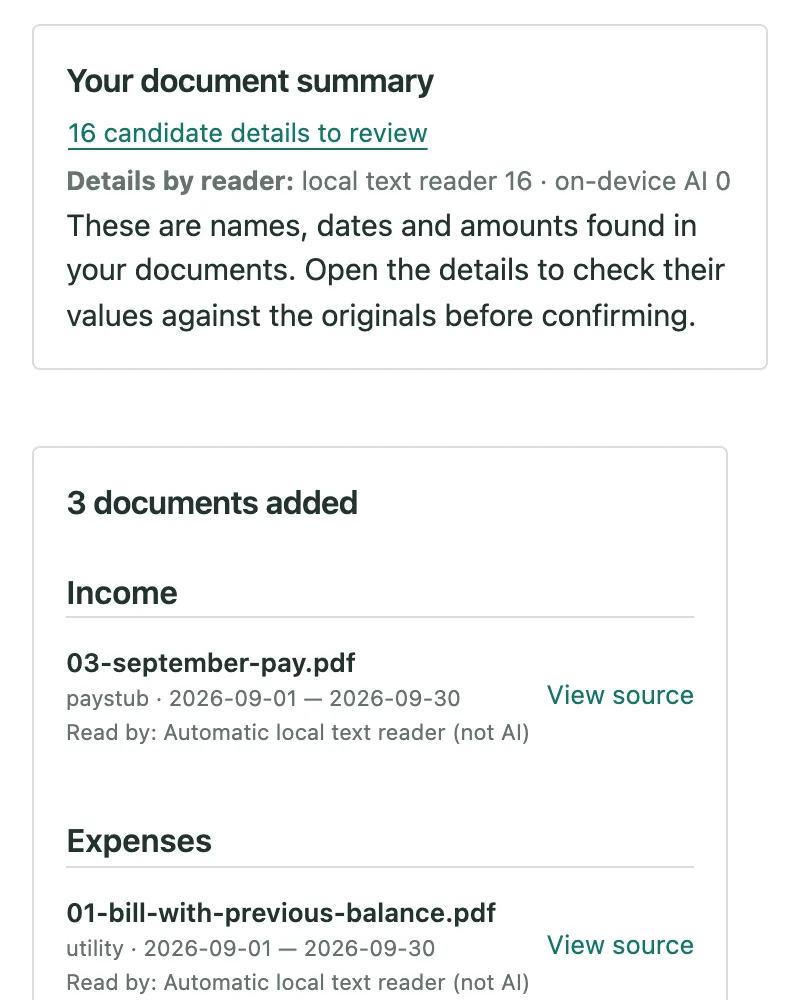
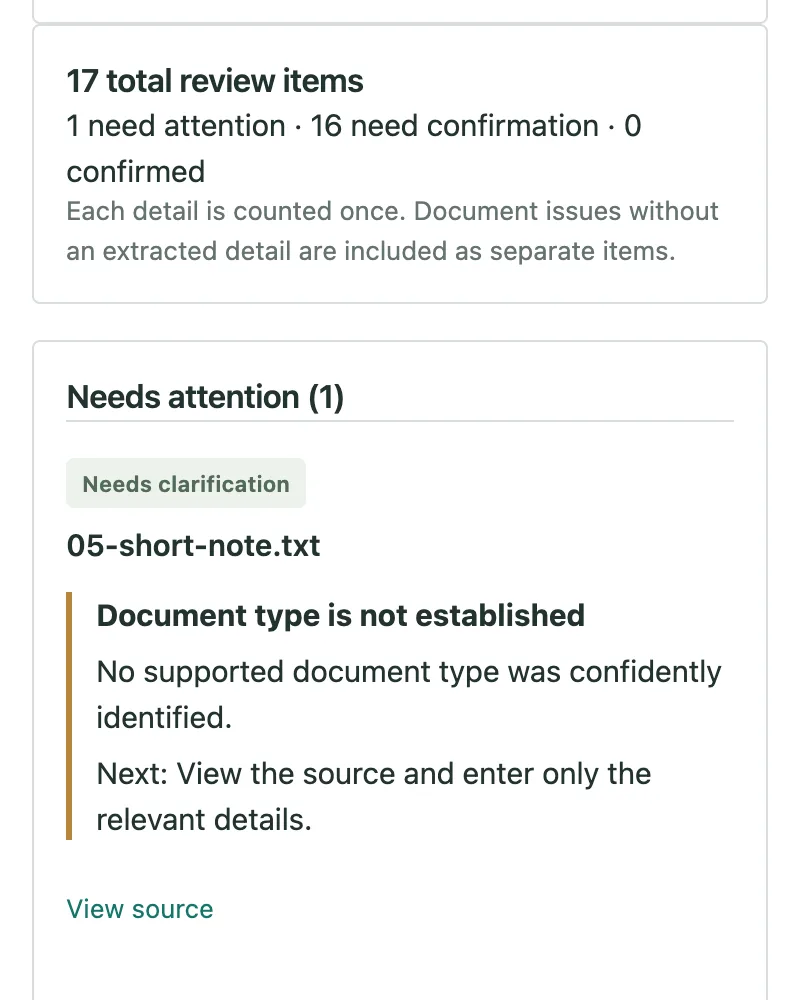
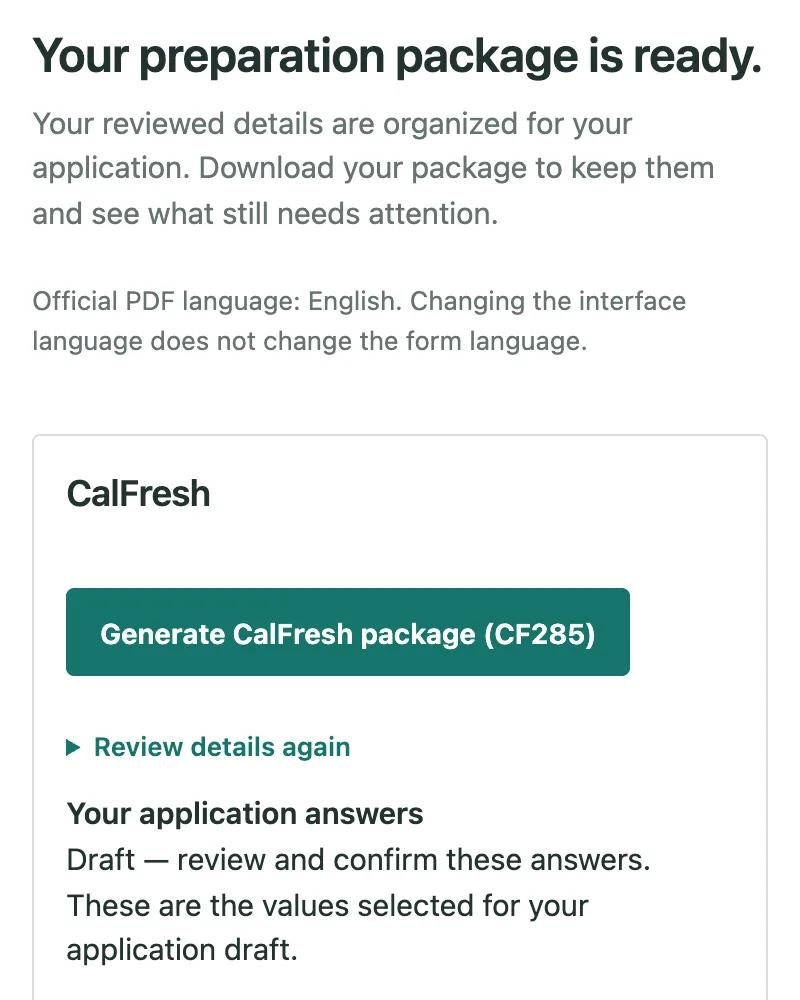
These screens show BenefitStep's built-in example household. Its people and documents are fictional.
Your documents stay on your computer
- Read on your own device
- No account, no tracking
- Kept only if you download it
- On-device AI is your choice
What BenefitStep does not do
- It is not a government service. BenefitStep is independent of BenefitsCal, the state and county offices.
- It does not decide whether you qualify. Only your county can do that.
- It does not submit anything. You sign and submit your application through BenefitsCal or your county.
- It can misread a document. Check every value against the original before you use a draft.
In your language
Choose your language in the BenefitStep panel. The translations cover the main steps and have not yet been checked by professional translators. The form questions and the official PDF forms are in English.